
How Can We Help?
How do I create and manage services?
Managing Services
Services must be added to your implementation to be made available to Resources, allowing outreach workers to use them within the Show The Way app. You have two options, using Default Services, or Custom Services. Each individual resource has the option to use one or the other.
- Default Services are predefined and not editable but can be used right away. These are generic services meant for basic service tracking and are not tied to HUD elements.
- Custom Services must be created and are editable by administrators. These can be used to define community specific services that can be tied back to different funding sources – you can edit the HUD Category and Service Category by selecting the
 hamburger menu to the left of the service row.
Access Services settings by going to the left-hand navigation and selecting Administration -> Services.
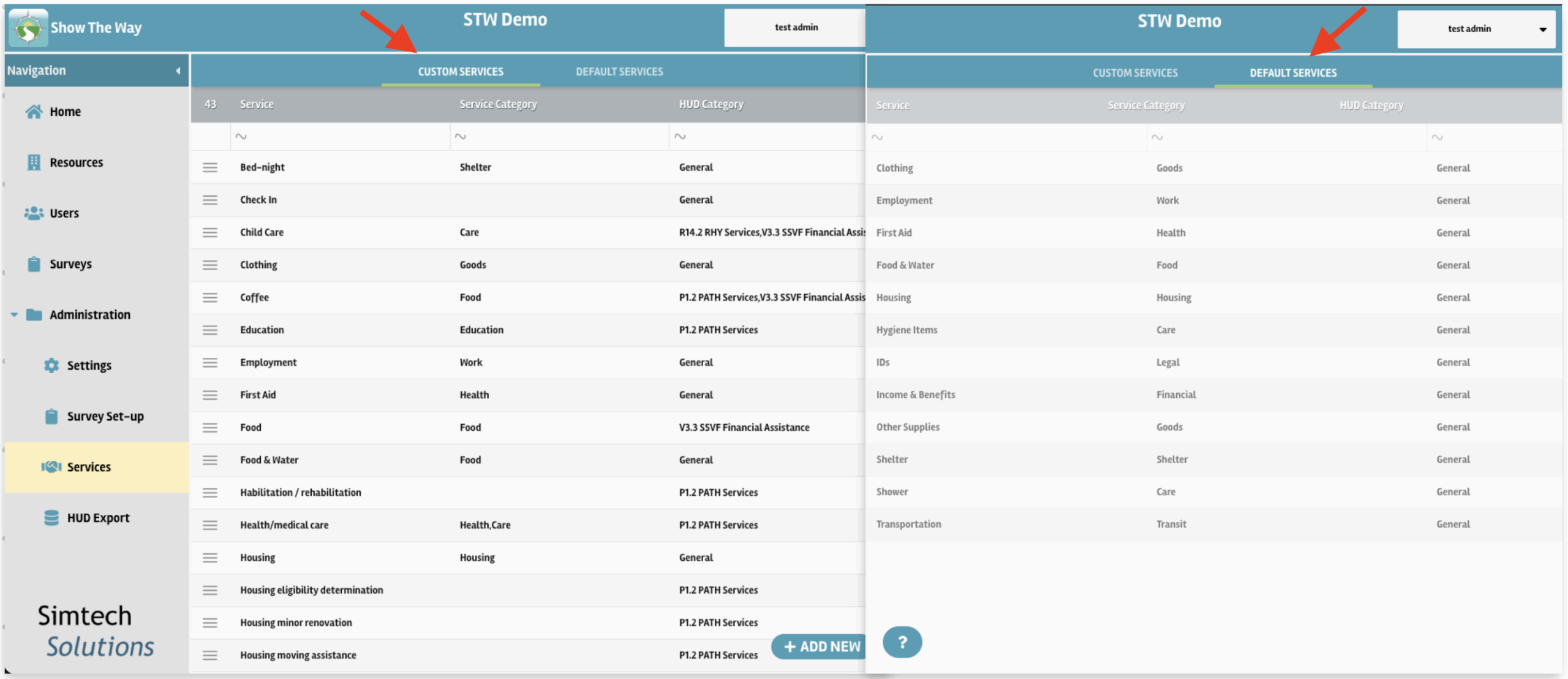
Add new services using the + ADD NEW button at the bottom left of the Custom Services Screen. Adding service categories will benefit searching and filtering of services, and adding the HUD category will tie the service to it’s correct funding type. Once services are defined and mapped to the corresponding HUD category, you can add them to resources in your community’s resource directory.
For a walkthrough of the process please watch the video demonstration below.